
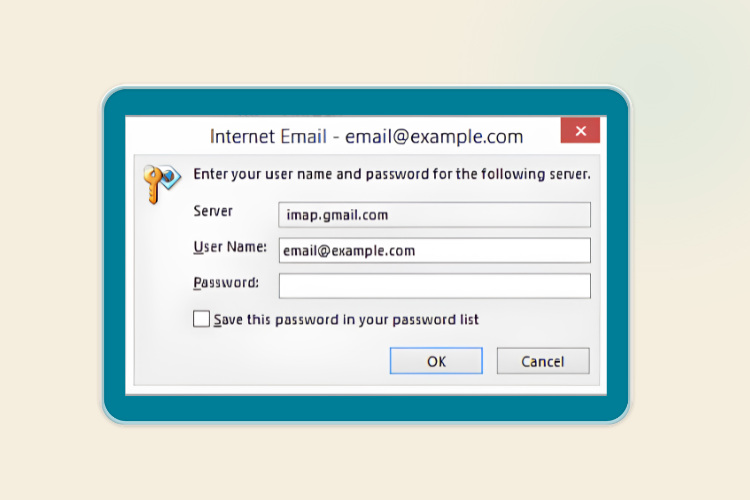
Outlook repeatedly prompting for a password — even after you've entered it correctly — is one of the most common email issues, and it's usually caused by a mismatch between what Outlook has stored and what the mail server expects. Here's how to work through it.
Common Causes
Saved Password Is Out of Date
If the mailbox password was recently changed (by you or an administrator) but Outlook is still using the old cached credentials, it will keep rejecting the login and re-prompting.
Incorrect Account Settings
If the incoming/outgoing server settings, port, or encryption method are wrong, Outlook may repeatedly fail authentication and interpret it as a bad password, even when the password itself is correct.
Mailbox Locked or Suspended
If the mailbox has been locked due to too many failed login attempts, suspended for billing/policy reasons, or disabled by an administrator, Outlook will keep prompting since it can never successfully authenticate.
Your IP Has Been Blocked by the Mail Server
Mail servers typically have brute-force protection that automatically blocks an IP address after a number of failed login attempts in a short period. This commonly happens without the user realising, because:
- An old device, script, or app (phone, tablet, old computer) is still trying to log in with an outdated cached password in the background.
- Multiple failed attempts from your network's IP trip the server's automatic block.
Once your IP is blocked, every login attempt from that connection will fail — including correct ones — which looks identical to a simple wrong-password loop in Outlook.
How to tell: If webmail login also fails from the same network/IP, but works fine from a different network (e.g. mobile data instead of Wi-Fi), an IP block is a strong possibility.
Fix: Let us know your IP address and we can whitelist this on the server.
Corrupted Outlook Profile
Outlook profiles can become corrupted over time (especially after crashes, abrupt shutdowns, or interrupted syncs), causing authentication prompts even with correct credentials.
Fix: Create a new Outlook profile and re-add the account, rather than repairing the existing one.
Outdated Outlook Version
Older versions of Outlook may not properly support current authentication requirements from the mail server, leading to persistent login loops.
Fix: Check for and install the latest Outlook updates.
"Remember My Credentials" Not Enabled
If this option isn't checked (or gets unchecked after an update), Outlook may ask for the password on every send/receive cycle rather than just once.
Troubleshooting Checklist
- Confirm the password works by logging into webmail directly (if available) — this isolates whether it's a password problem or an Outlook/client problem.
- Clear the saved credentials in Credential Manager (Windows) or Keychain Access (Mac) and re-enter the password.
- Verify account settings (server, port, encryption) match the current recommended settings.
- Check whether "Remember my credentials" is ticked.
- Try creating a new Outlook profile.
- Temporarily disable antivirus email scanning to rule it out.
- Check for Outlook updates.
Still stuck? We'll sort you out.
Send us a message